
Fencing Matchboard
Fencing Matchboard
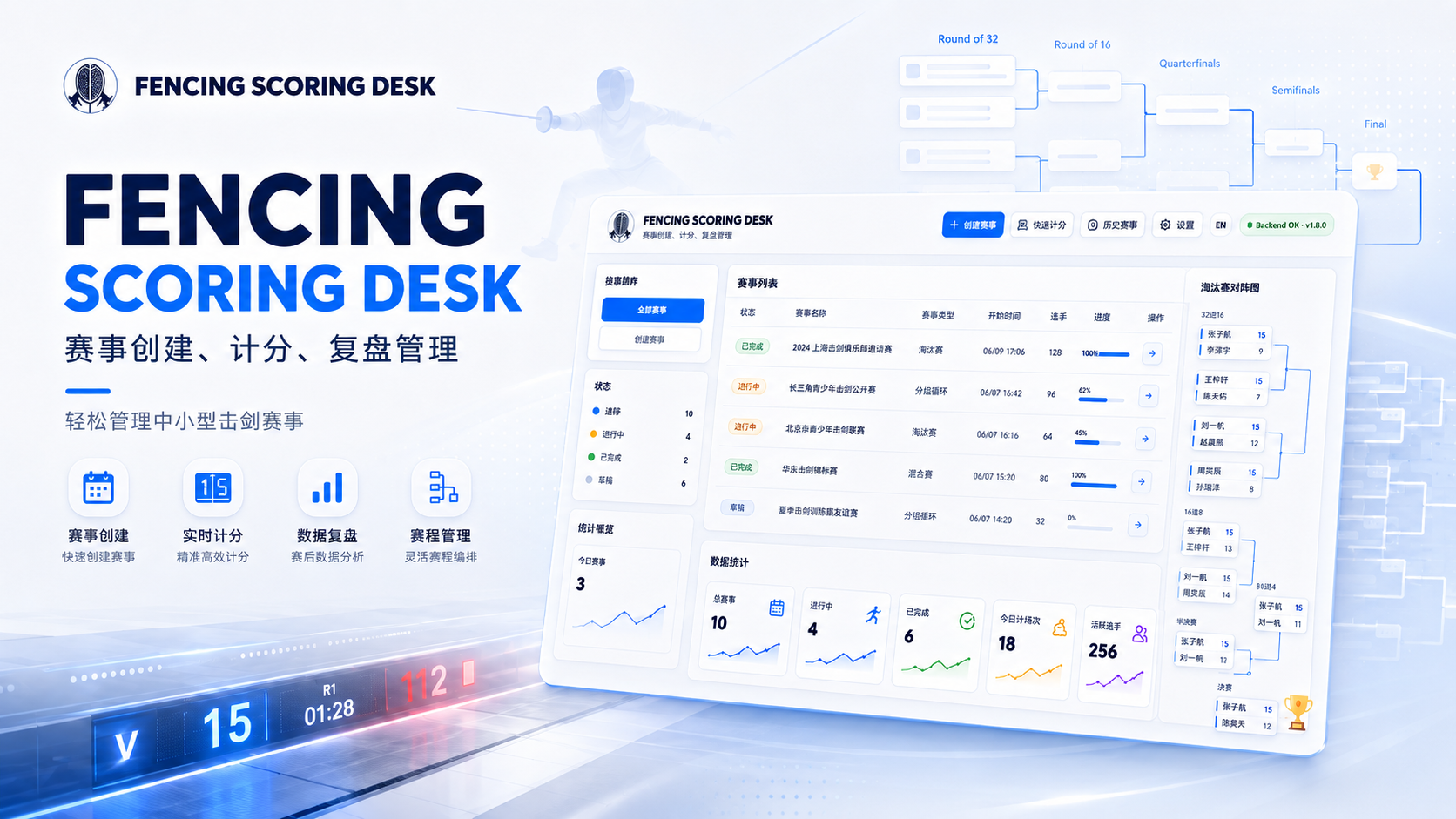
A local-first tournament management and scoring tool for fencing clubs, school teams and coaching studios.
Fencing Matchboard brings bout scheduling, scoring, rankings and live venue displays into one Windows desktop tool for everyday fencing events. Admins can create round-robin or elimination events, add fencers in bulk, and configure the weapon, target score, bout duration, piste count and grouping method. Referees scan a QR code with their phone to score a specific piste. Scores, schedules, rankings, brackets and display pages sync across the local network, while event data stays on the host computer.
Local-first · Your data stays yours
V1.0.7
01FEATURES
Core features
Focused capabilities shaped around real workflows, with clarity and dependable everyday use in mind.
- 01
Create fencing training events, round robins and elimination brackets from a Windows host
- 02
Score a specific piste from a phone browser with timer, undo, penalties and result submission
- 03
Generate round-robin bouts, fixed elimination brackets, byes and available bouts automatically
- 04
Manage multiple pistes with current bout, next bout and piste status
- 05
Sync admin, referee, display, viewer, bracket and results pages in real time
- 06
Calculate overall rankings, group rankings, wins, losses, touches, indicator and win rate
- 07
Generate referee, display and results links with QR codes for quick access
- 08
Local-first storage on the host computer, with LAN use and CSV/JSON exports
02USE CASES
Who it is for
Designed for people who want tools they can rely on over time, on their own devices and network.
- 01
Fencing club operators running everyday internal events and training competitions
- 02
Coaches and assistants who need fast scheduling, result entry and performance tracking
- 03
Referees, assistants and parent volunteers scoring piste-side from a phone
03INTERFACE
Screenshots
Explore the real interface, information hierarchy and practical details of the product.
16 interface views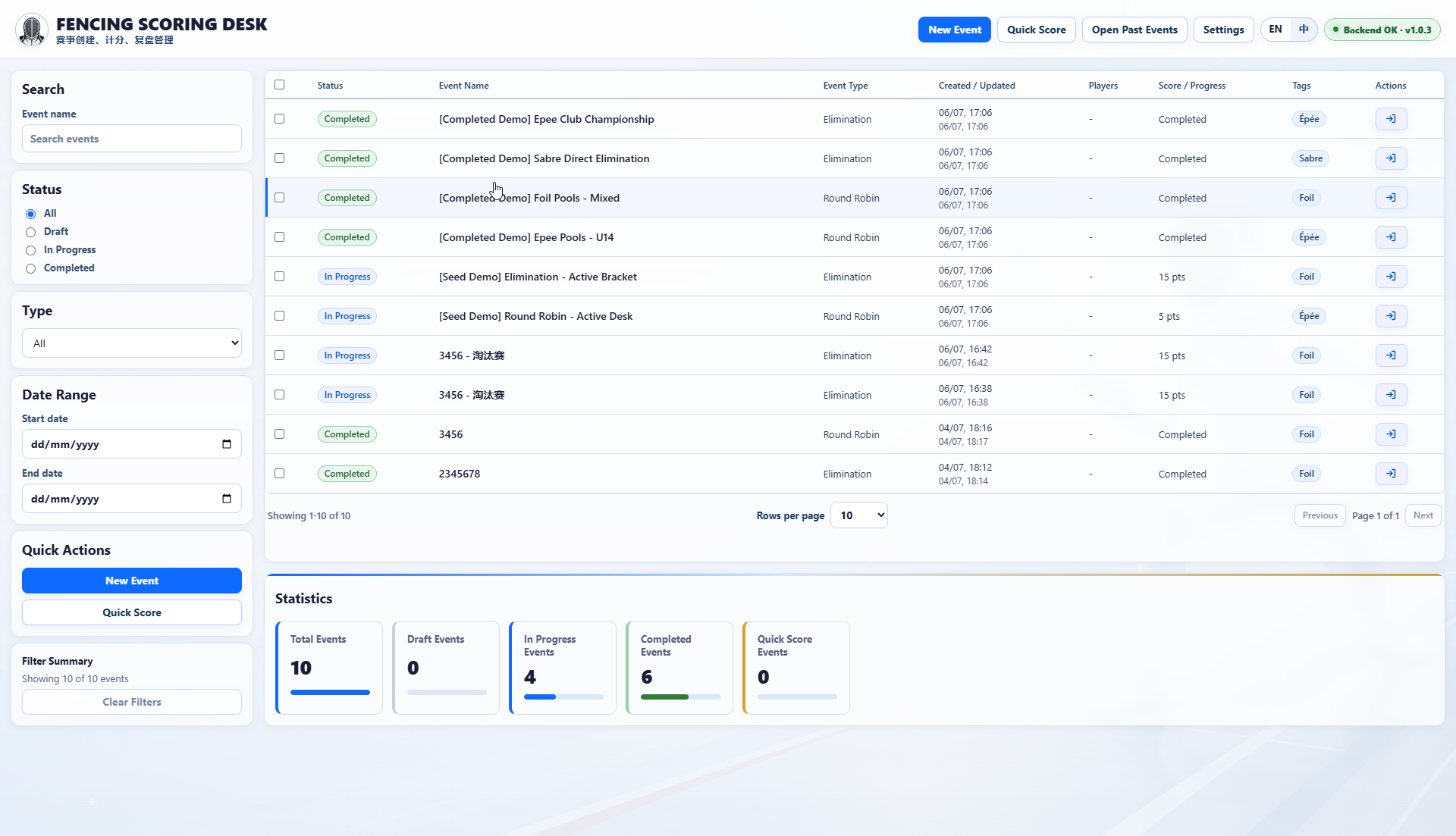 01
01Manage all events in one place, filter by status, type, date and name, then jump into new events, quick scoring, history or settings.
 02
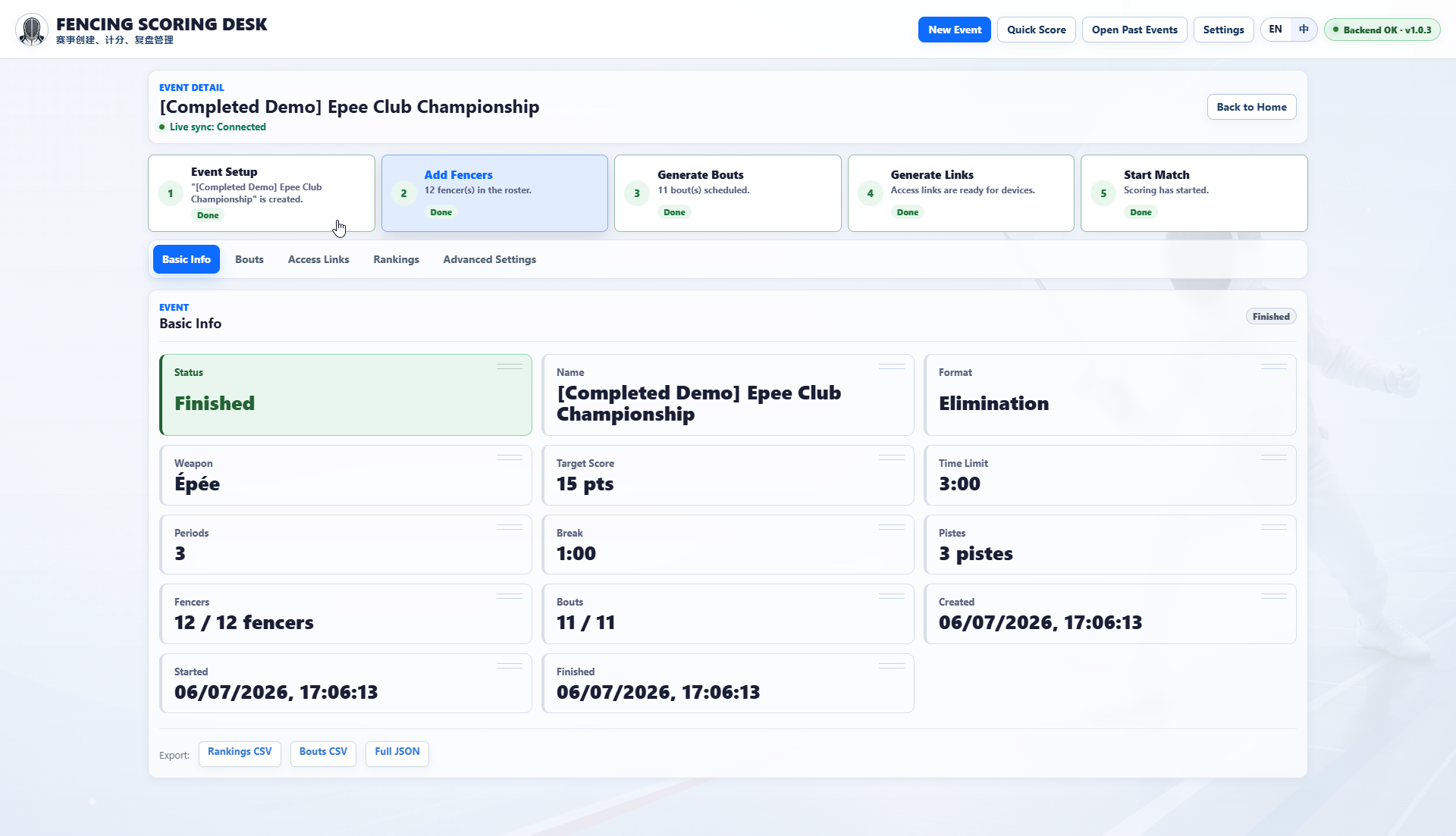
02Use step cards to track setup, fencers, bouts, access links and match start, with format, weapon, target score, pistes and exports below.
 03
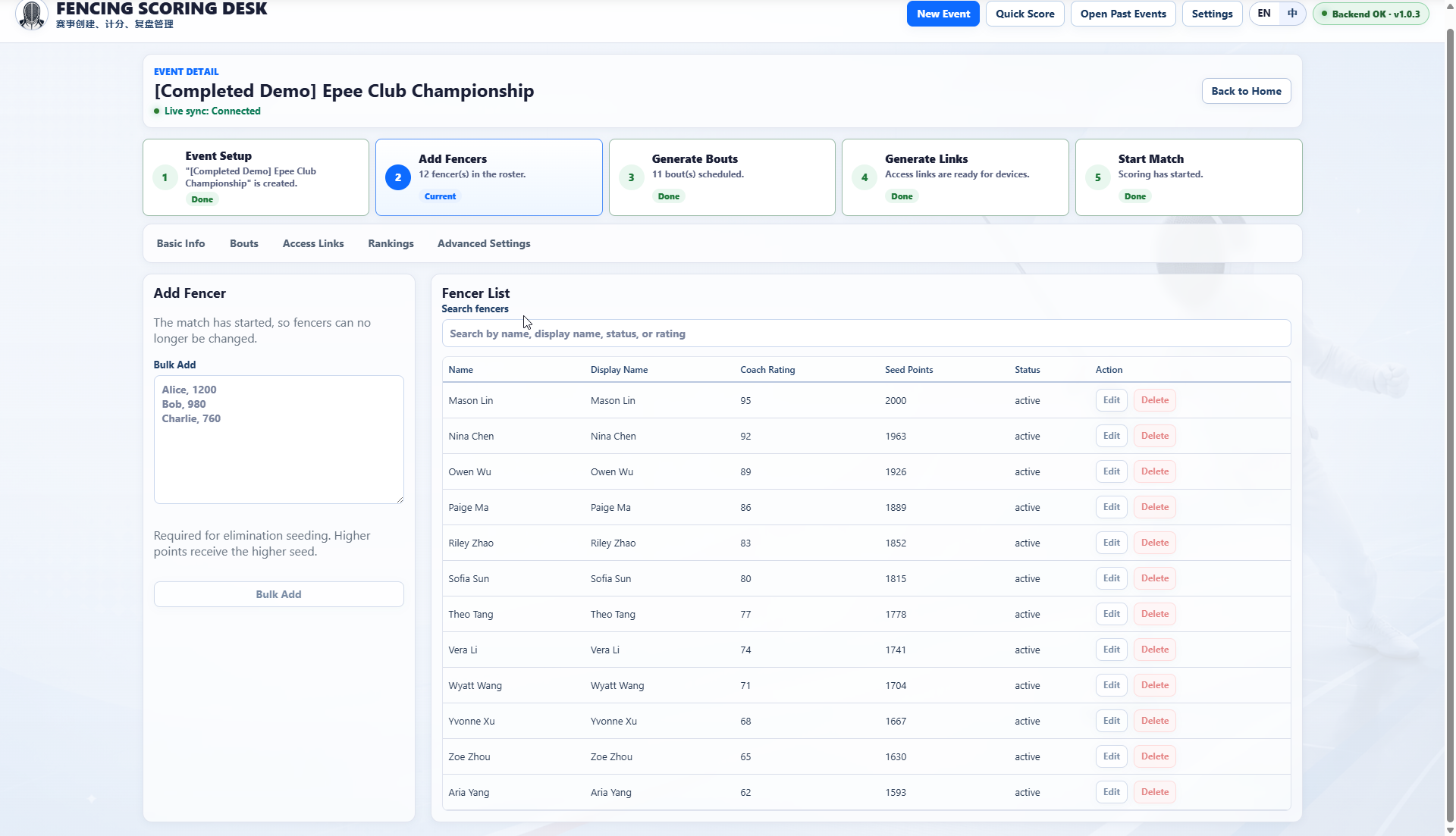
03Add fencers in bulk, search the roster, edit coach ratings and seed points, then lock the roster after the event starts.
 04
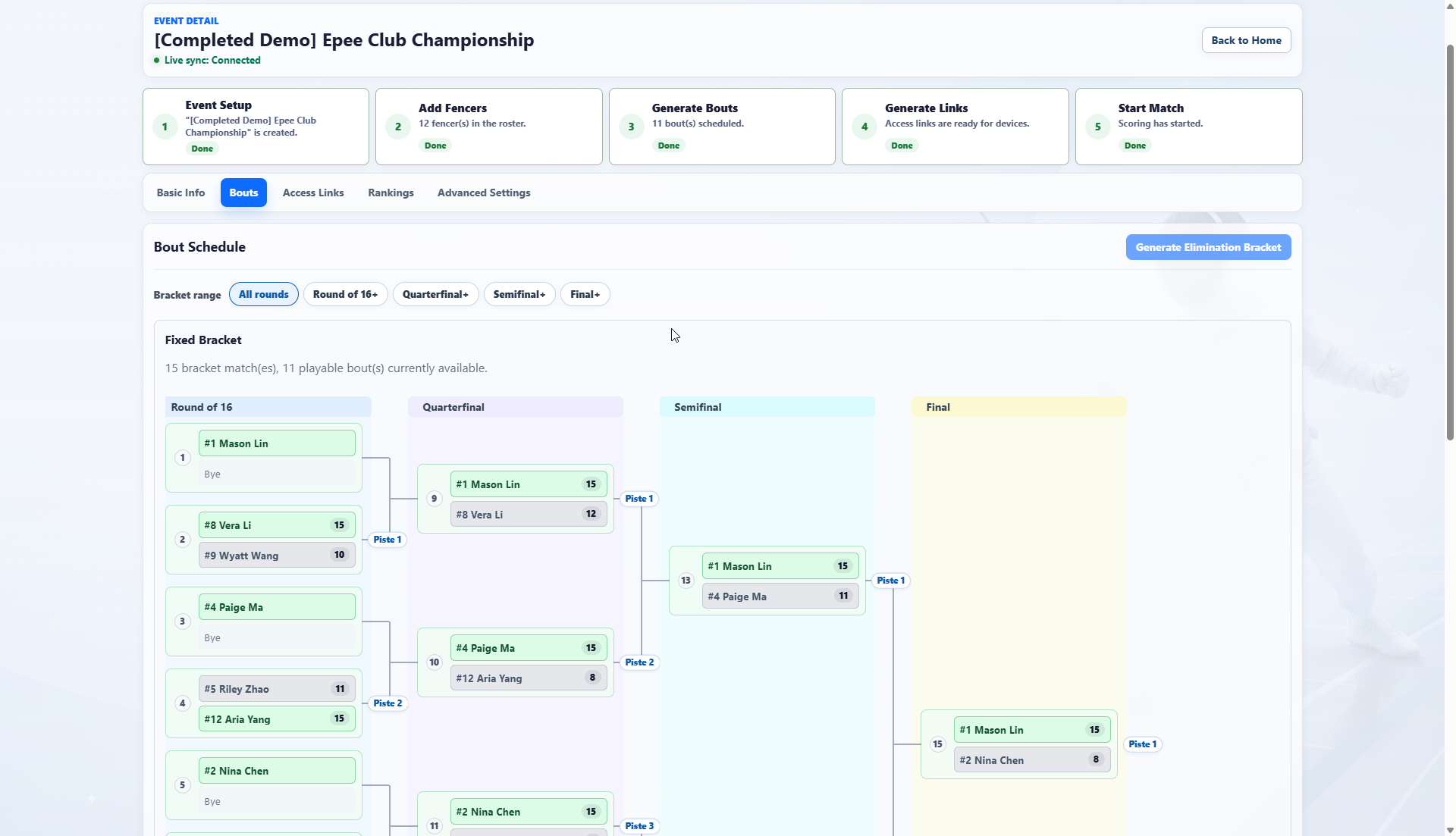
04Show the complete path from round of 16 to final, including byes, scores, winner highlights and piste assignments.
 05
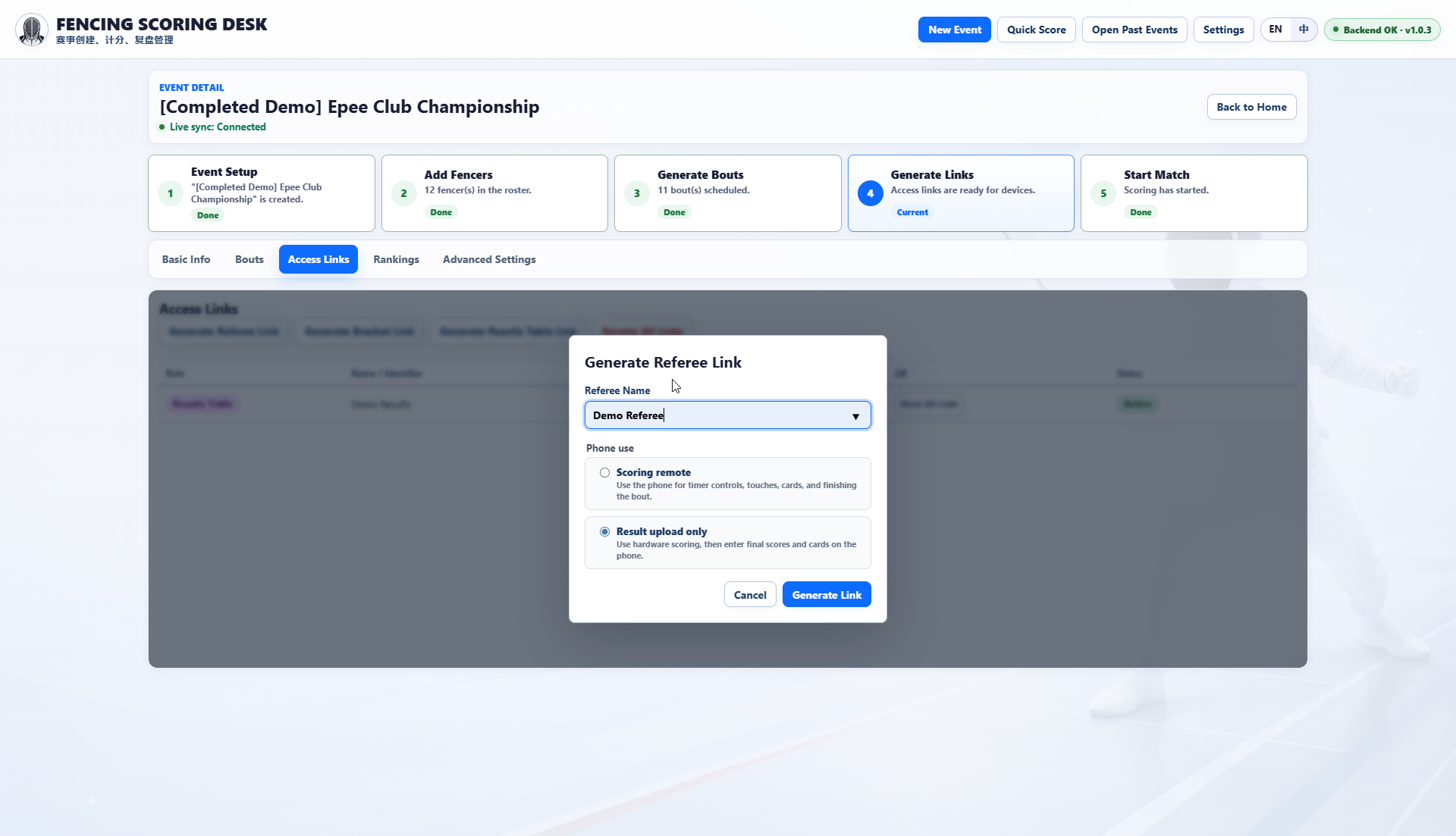
05Create a phone access link for a referee, with either full remote scoring control or result submission only.
 06
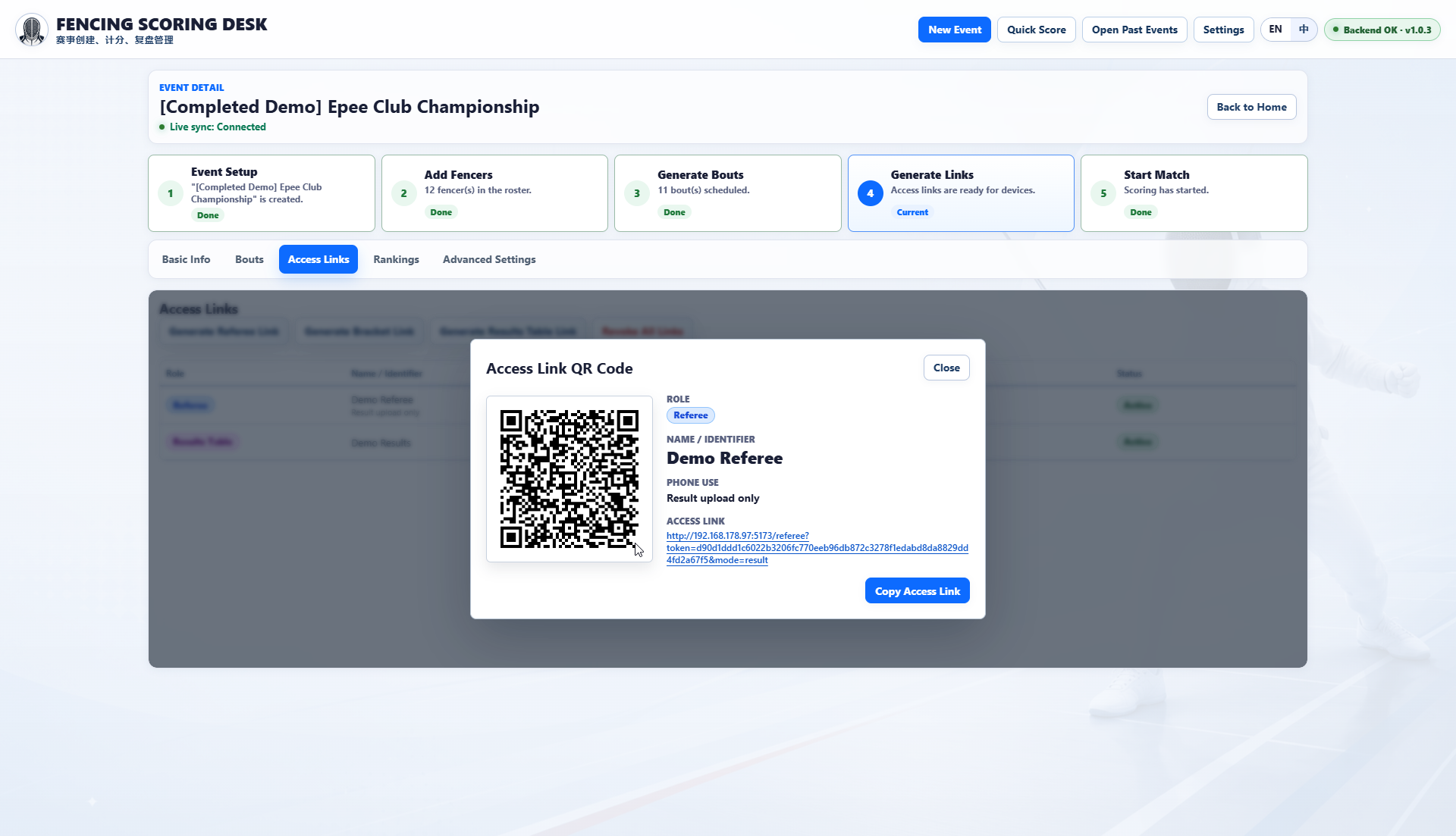
06Show role, referee name, phone mode, LAN URL and copy action so referees can join by scanning the QR code.
 07
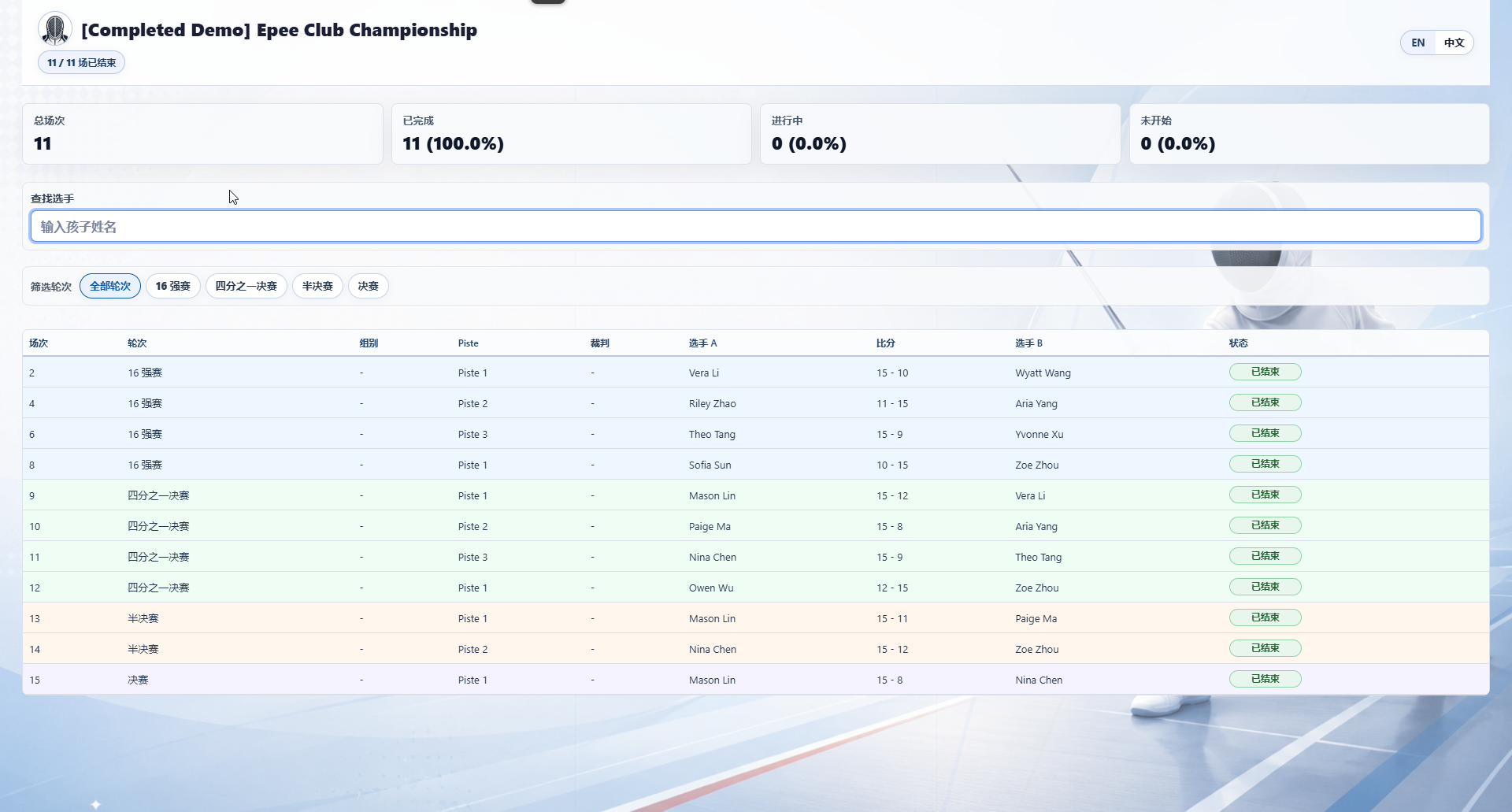
07Give fencers, parents and viewers a read-only view of totals, completion, live status and scores filtered by fencer or round.
 08
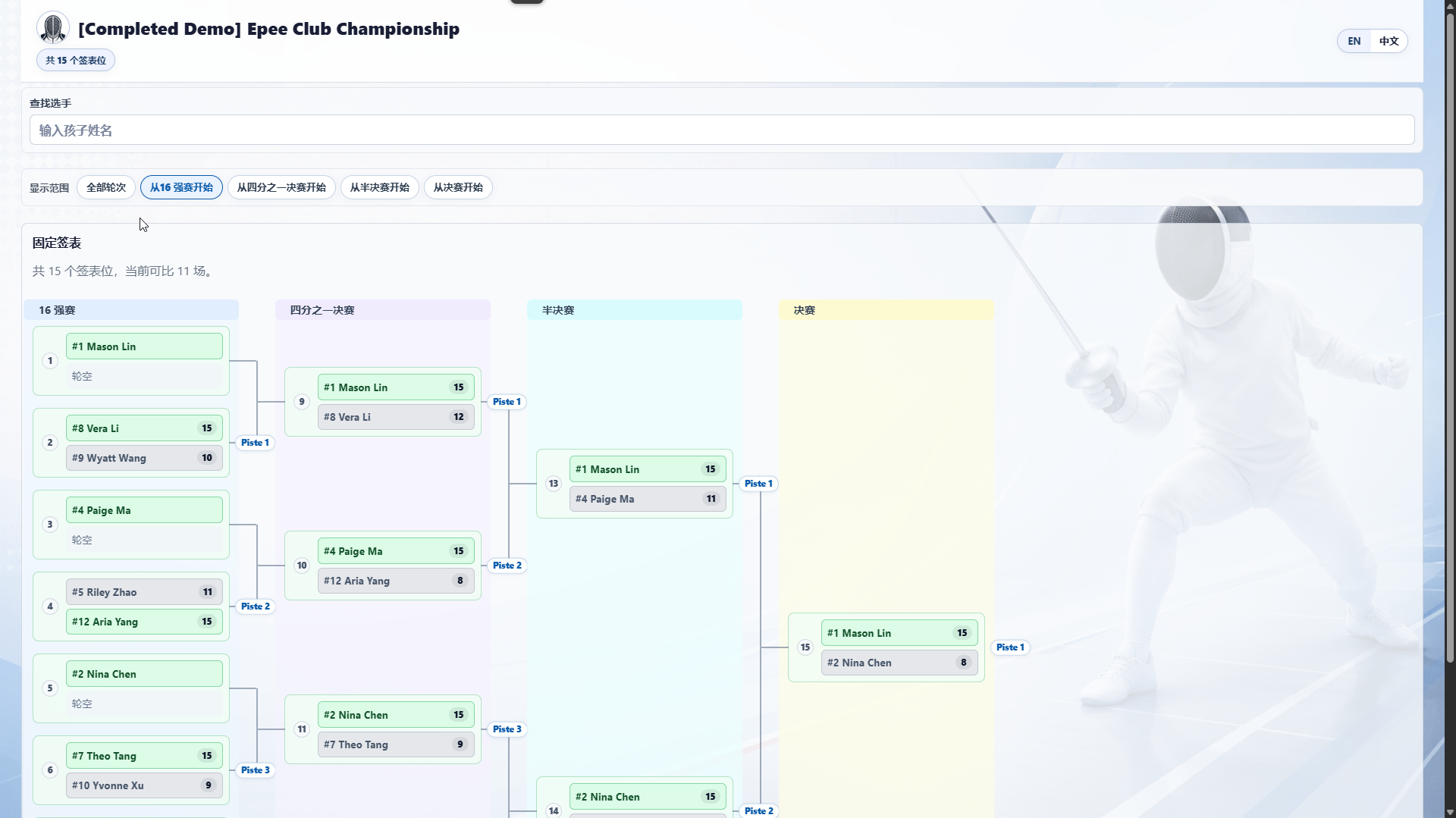
08View the public bracket and choose whether to start the display from round of 16, quarterfinal, semifinal or final.
 09
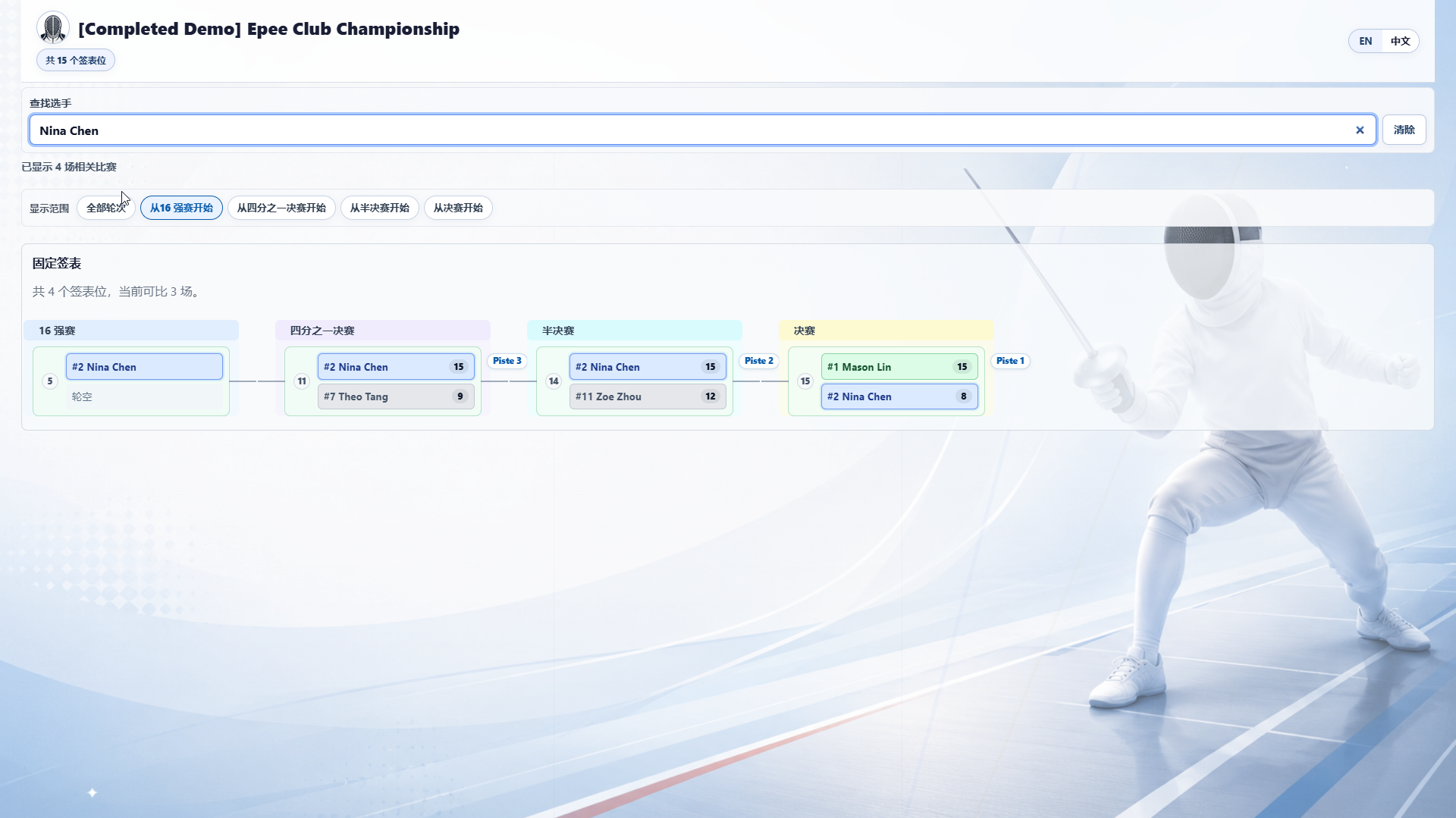
09Search for one fencer to show only the related bouts and highlight their path through the bracket.
 10
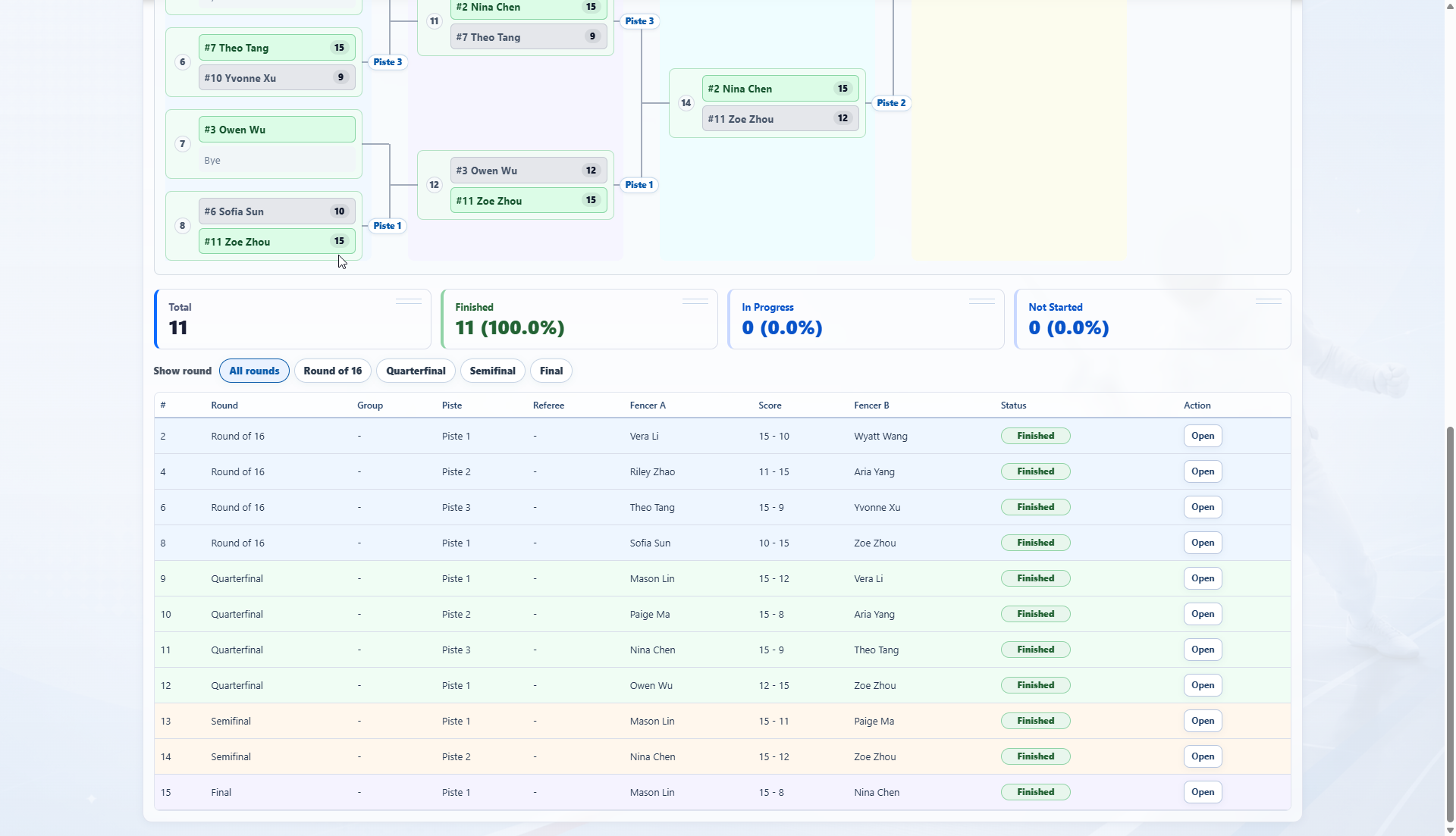
10Combine the bracket, completion stats, round filters and bout table so admins can open any match from the visual or table view.
 11
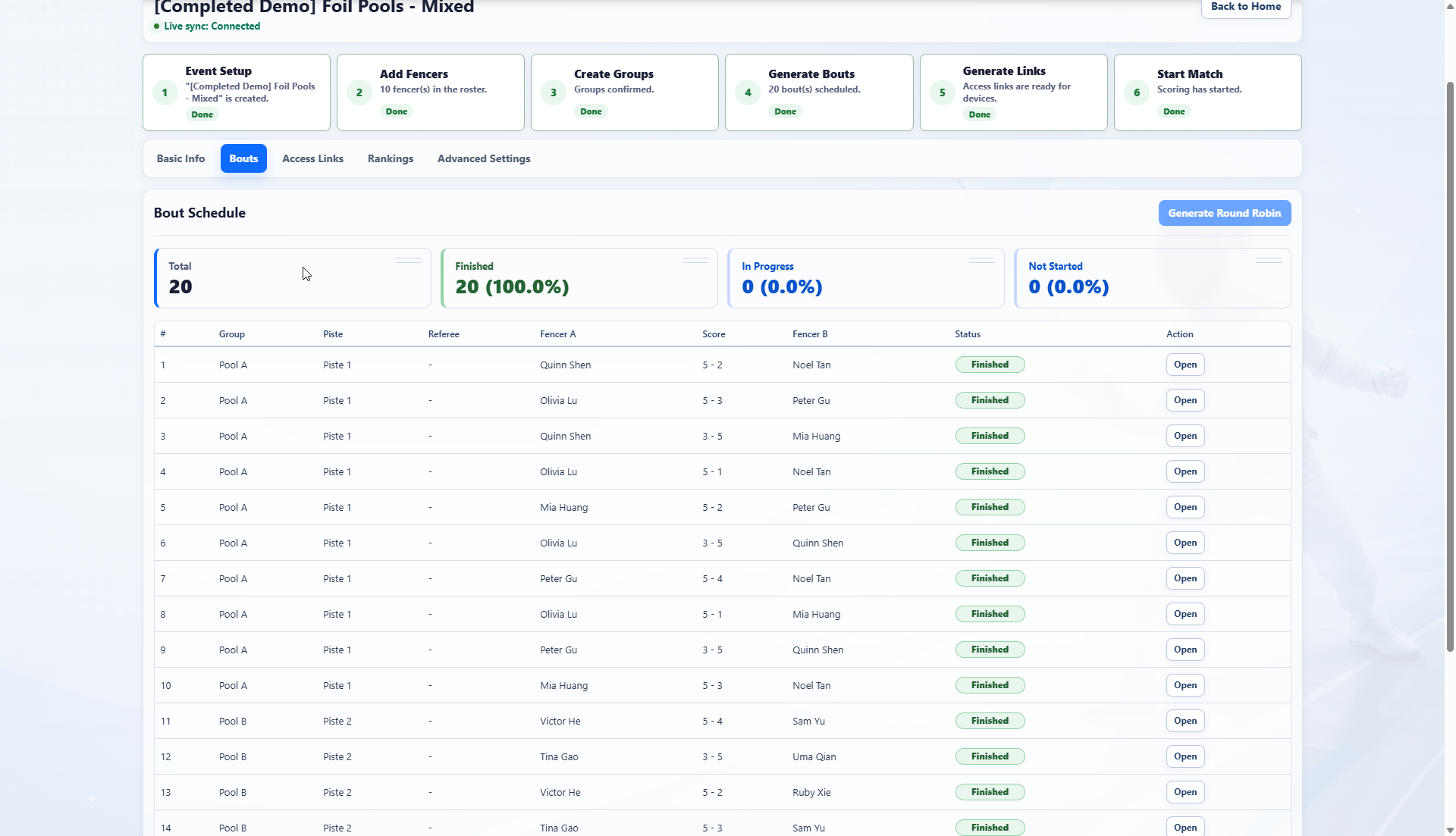
11List each round-robin bout with its group, piste, referee, fencers, score and status, alongside live totals and completion progress.
 12
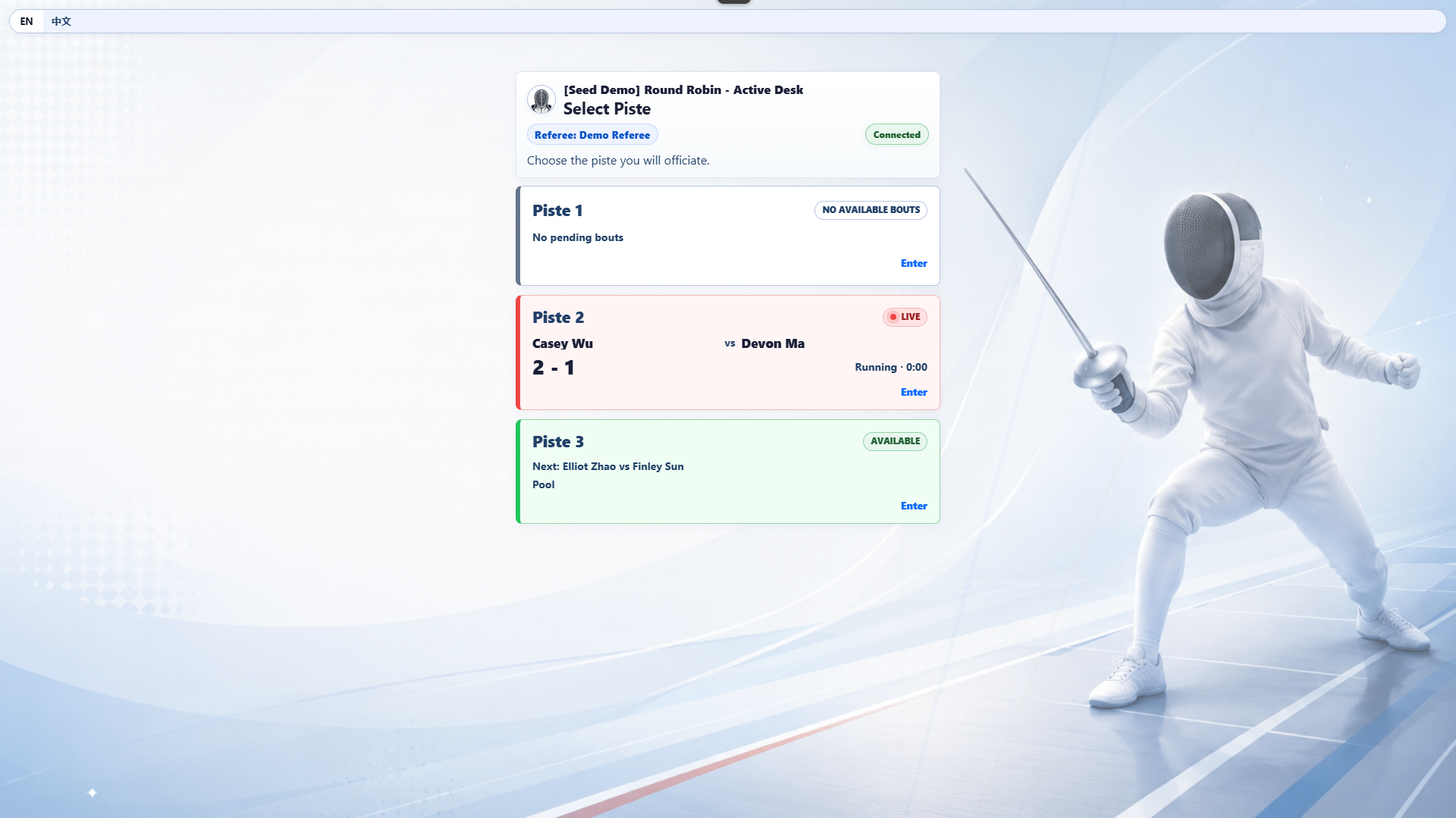
12Referees can see every piste status, current score and next bout, then enter the piste they will officiate.
 13
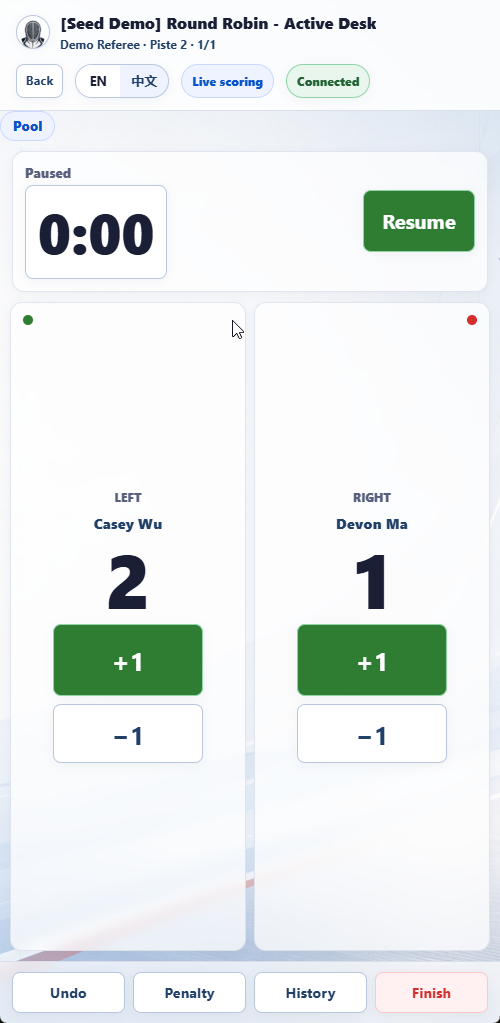
13The referee phone view uses a large timer, side-by-side scores, +1/-1, undo, penalty, history and finish controls for piste-side scoring.
 14
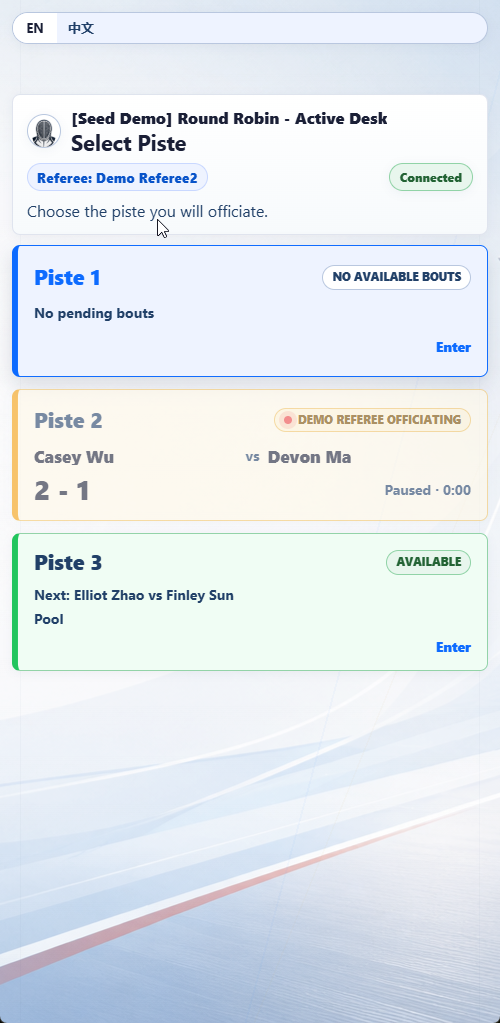
14On narrow screens, clearly distinguish between no available bouts, an active assignment and the next available bout.
 15
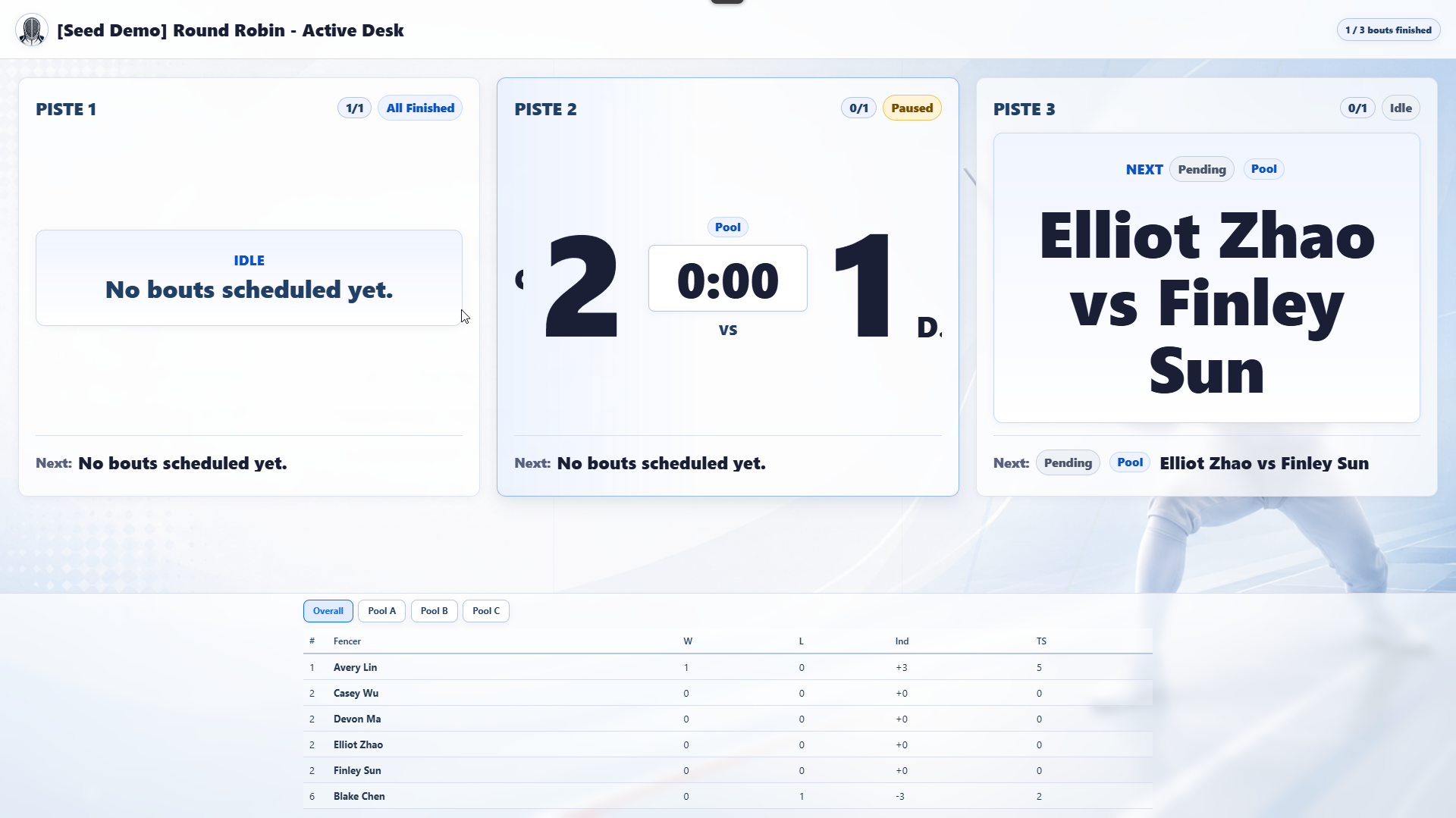
15The display page uses large piste cards for score, status, next bout and overall progress, with rankings shown below.
 16
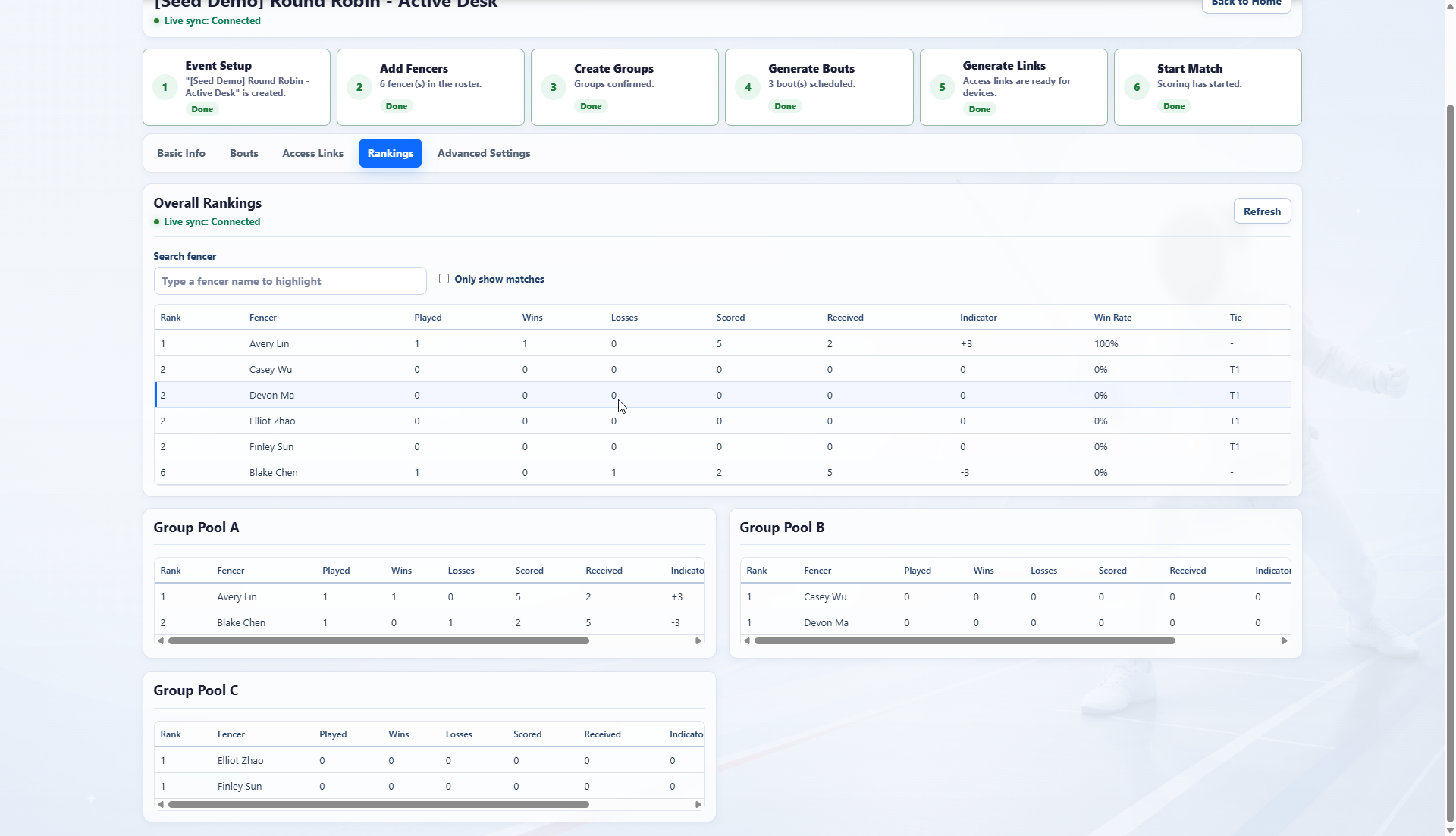
16Automatically calculate played bouts, wins, losses, touches scored and received, indicator, win rate and ties for overall and group rankings.
02CONTACT
Contact
Questions, feedback or download issues can be sent by email.
Open to feedback- Studio
- Tide & Forest Studio / 潮林工作室
- Developer
- Ruifeng Zhang
- [email protected]
- Location
- Germany
- Website
- tf-studio.com